
Ella Hillered
Challenge: Redesign one of SAS most visited pages to make it easier for user to find their perfect trip, make it more engaging and inspiring while keeping a clear view of prices.
My role: I lead the UX-process in a cross-functional team with a PO, UI-designer and developers.
Results: Increased conversion rate by 6%
Background
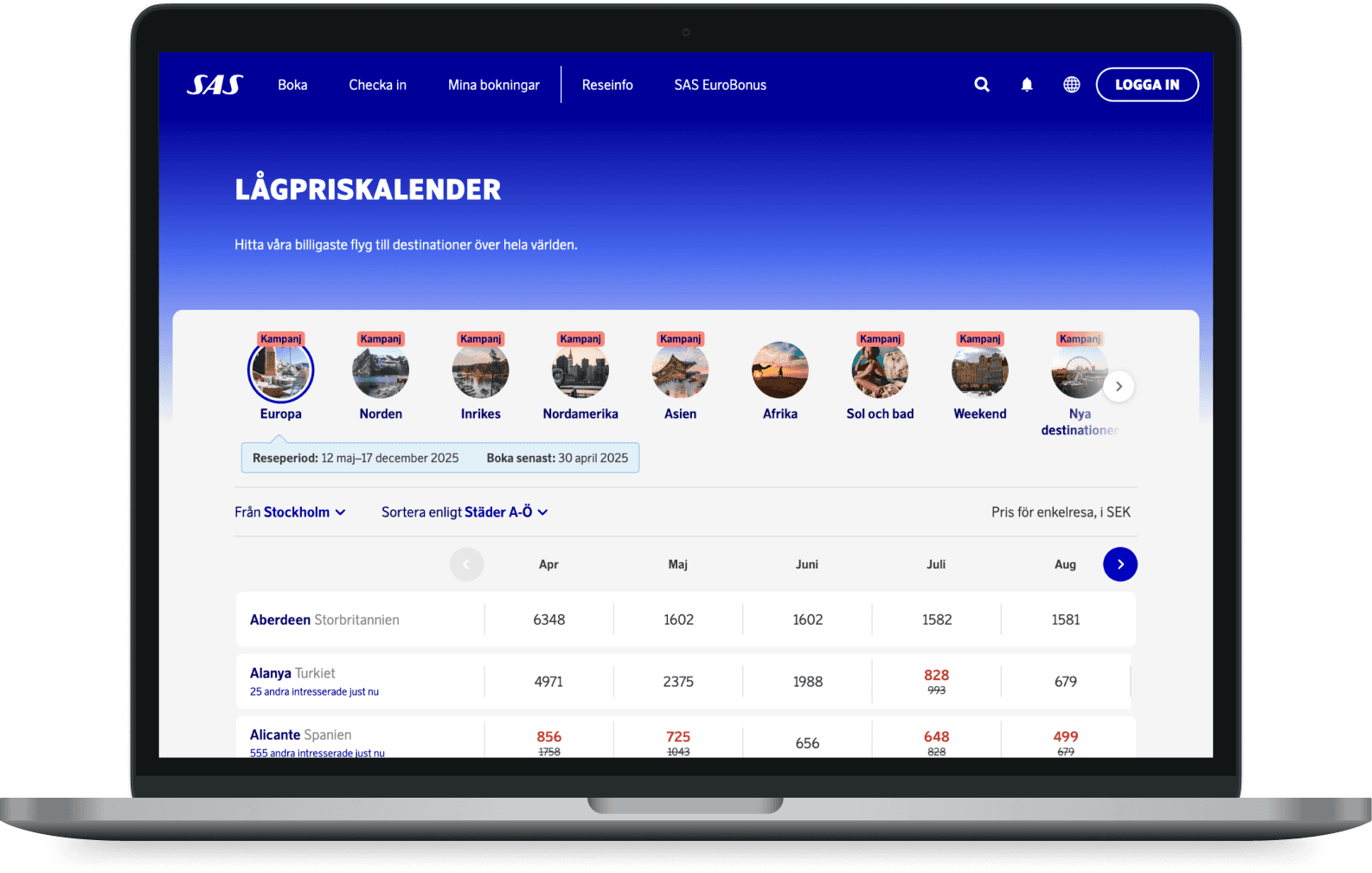
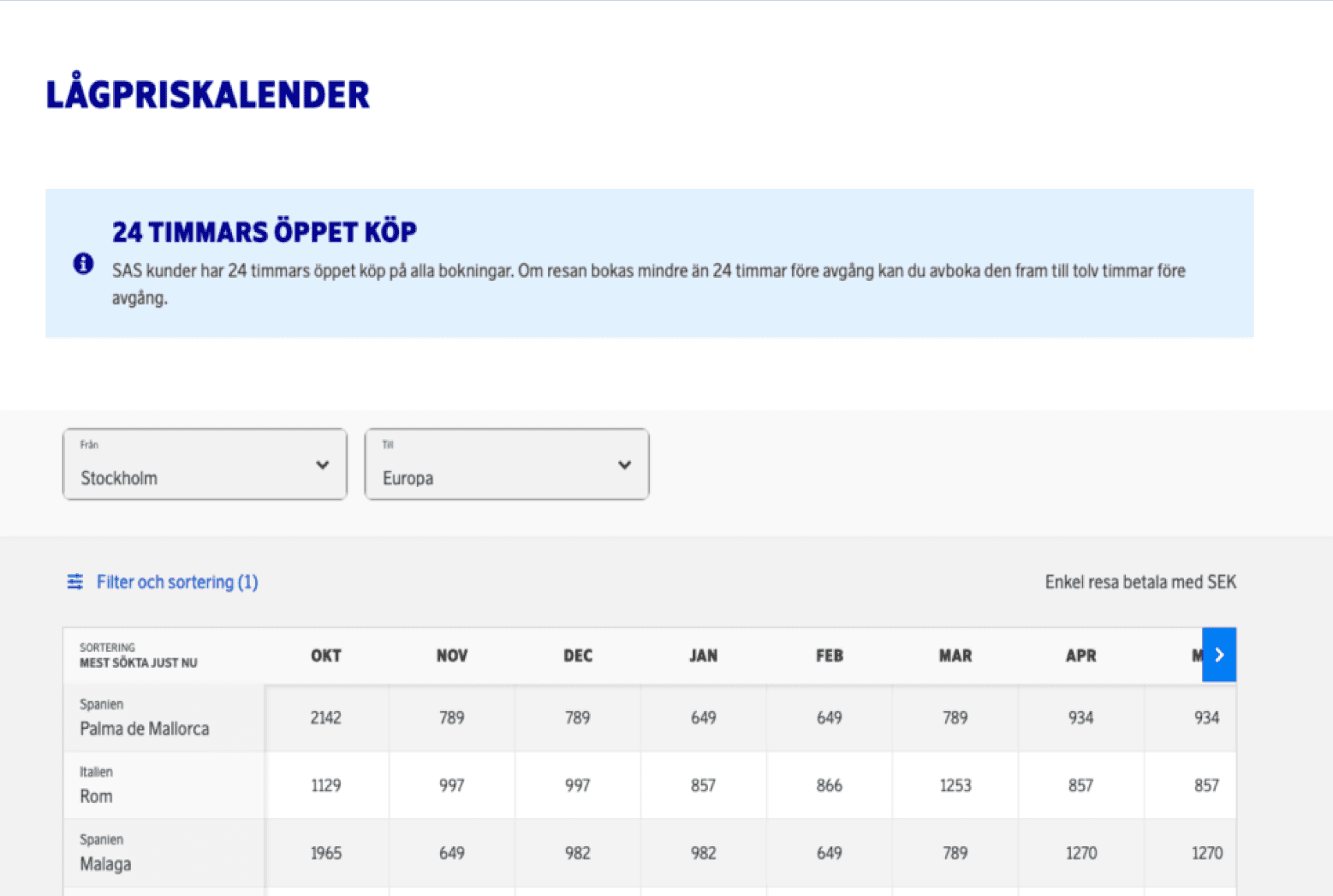
The Low Price Calendar is SAS's third most popular page and is key for boosting flight ticket sales. Since it hadn’t been updated in over seven years, not only did it need a refreshed design but also an improve user experience. Previous research showed users lacked inspiration, had a difficult time finding the filters and that the mobile experience was poor. Stakeholders also wanted a better way to showcase current campaigns.
Goals
Boost flight ticket sales for Vacation Planner users.
Increase user retention by attracting more repeat visitors.
Key milestones
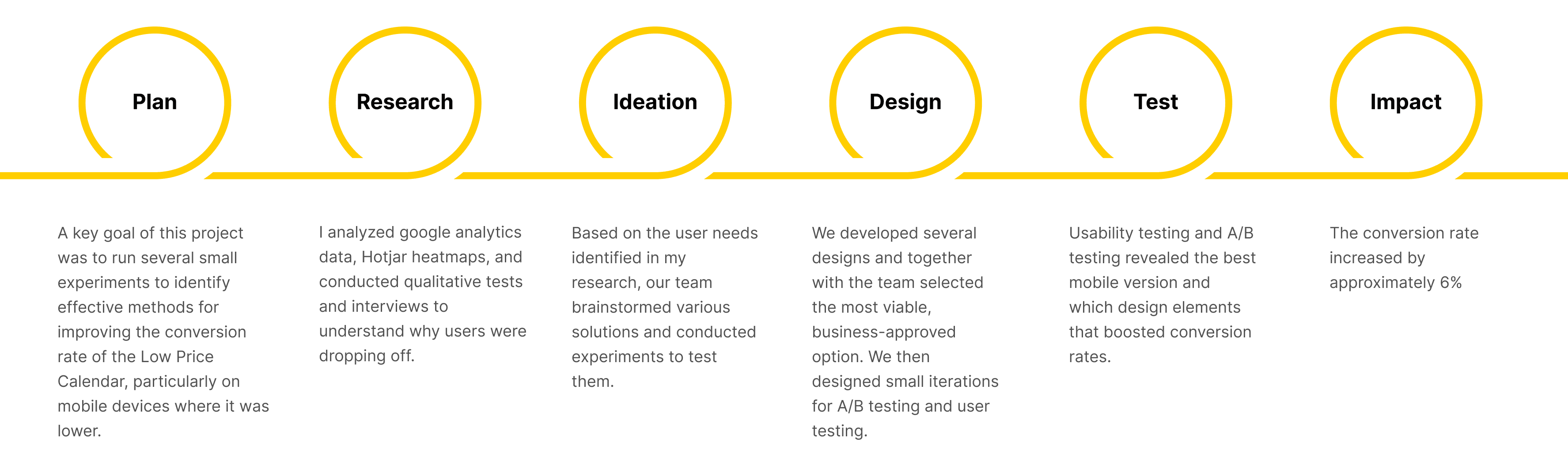
Research
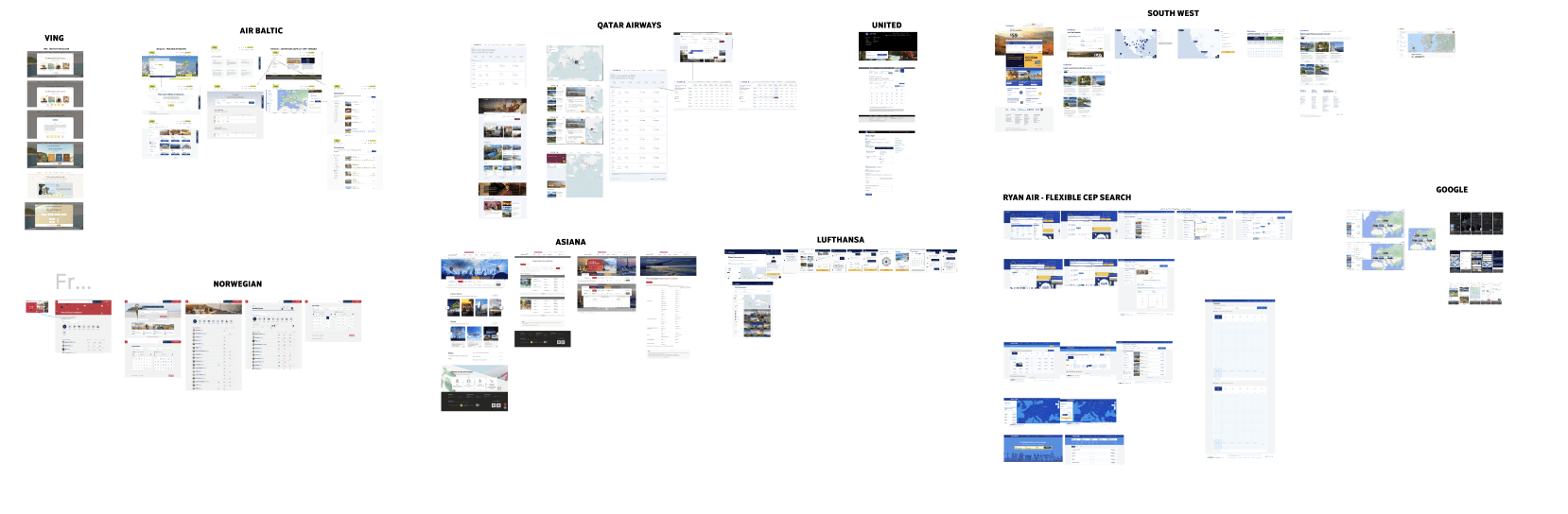
Benchmark
For inspiration I started off with direct and indirect competitors benchmark with the aim to find the best sort of tool to discover destinations and flights.
Usability testing
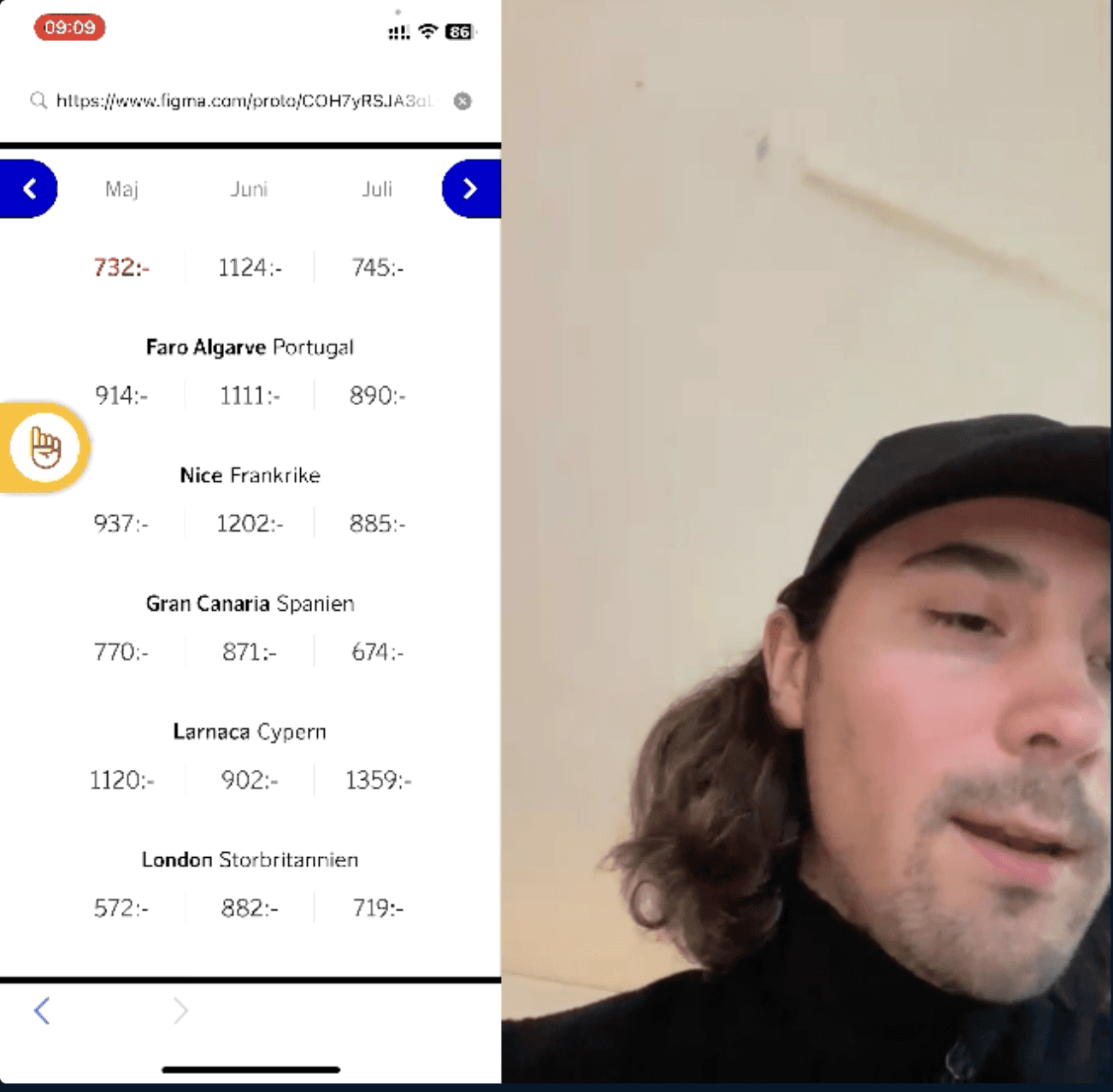
I ran usability tests on the existing page to understand pain points and needs in the current/old design.
Exploratory interviews
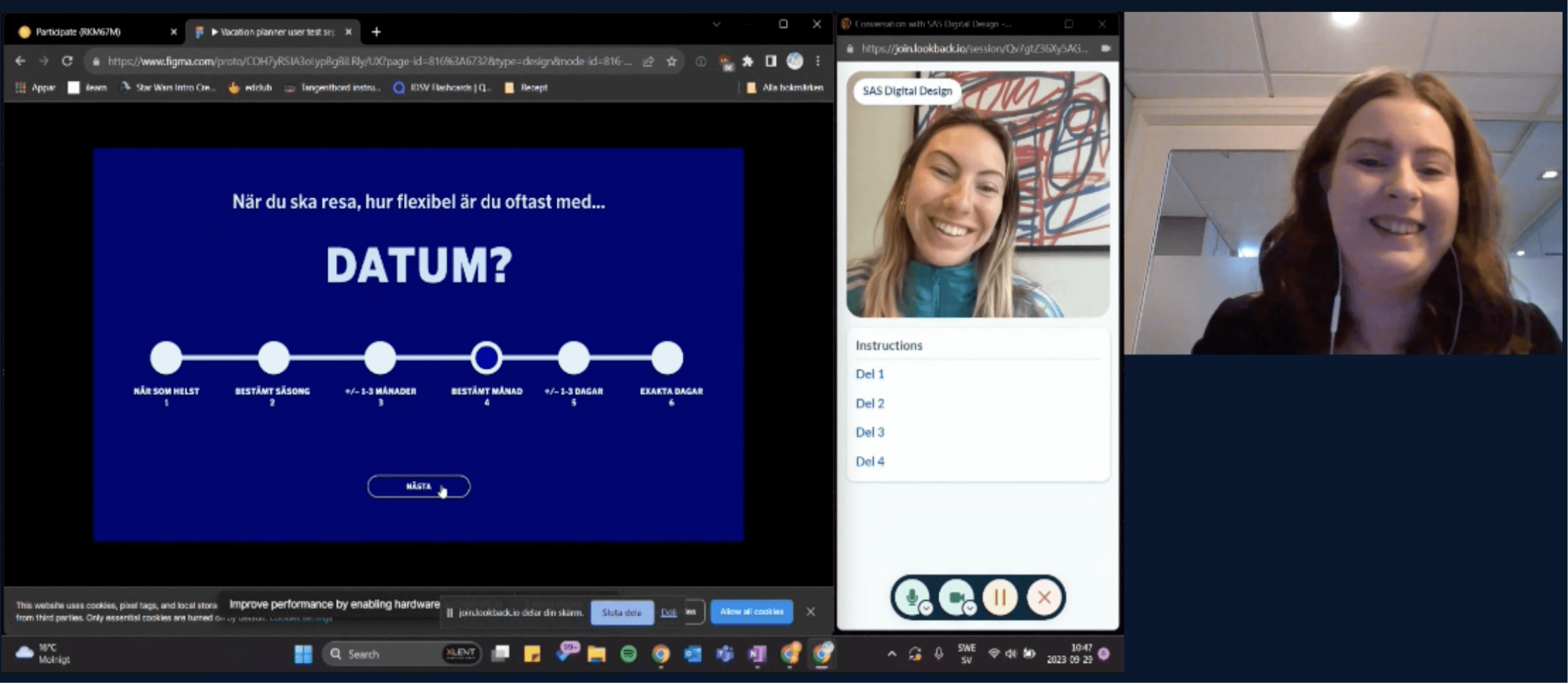
To understand users' needs and behaviours during the trip discovery phase, I conducted exploratory interviews. Exploring how flexible or not they saw themselves with dates, destinations and price.

Key insights
Users know the exact dates or are flexible within a few days, not across months.
Competitors engage users with flexible searches, discovery wizards, and visual tools.
Visual elements like maps and images speed up decision-making.
Users find the page boring when no campaigns are active.
Users struggle to quickly find the cheapest prices.
Some users enjoy the trip discovery phase and seek inspiration.
Design recommendations
Redesign the tool that support short-term date flexibility and comparing, not a table to compare several months.
Move beyond a static table; design a more visual, interactive discovery experience.
Integrate destination images or interactive maps for a more intuitive experience.
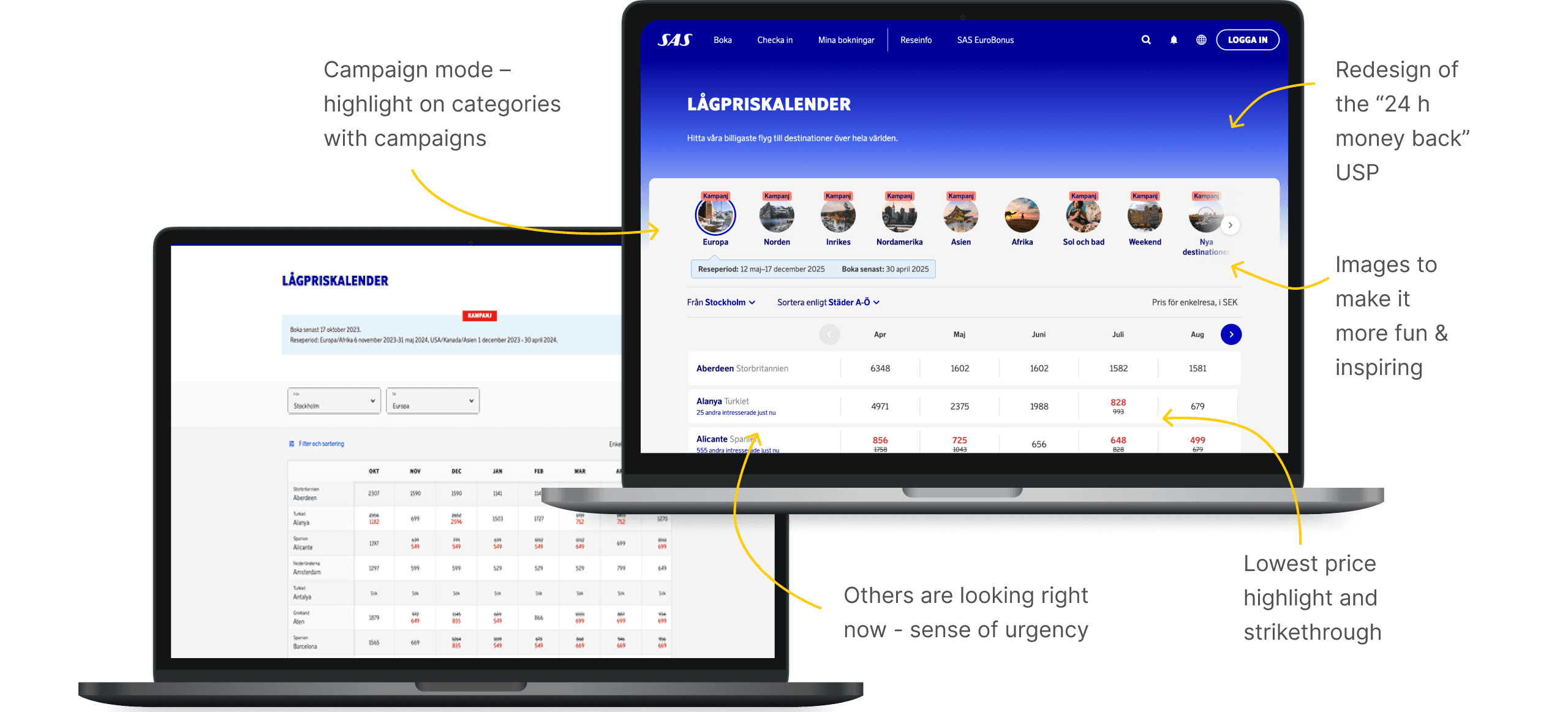
Introduce a dynamic “Campaign Mode” to highlight promotions and create urgency.
Highlight the lowest price.
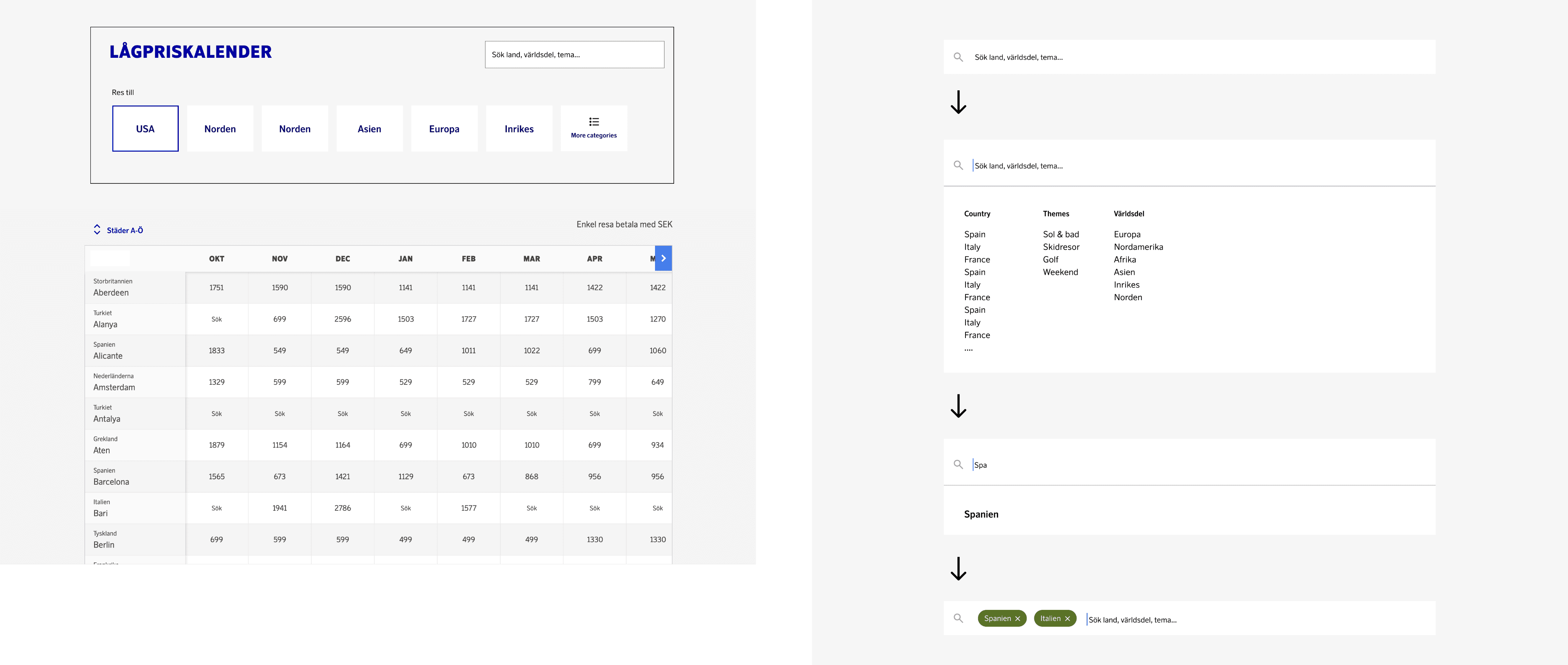
Add inspirational search options and curated destination suggestions.
Ideation
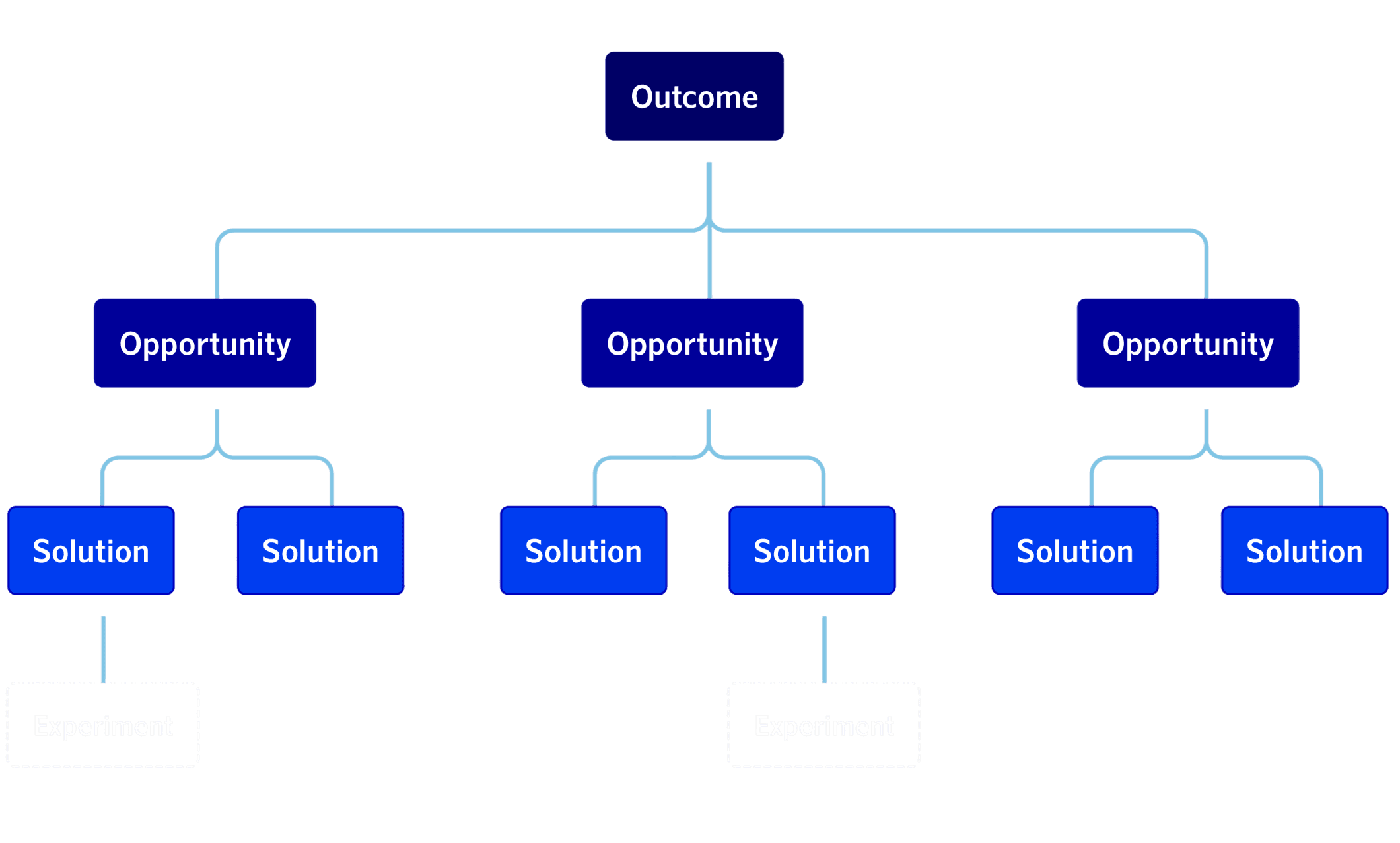
Building on the key insights from the research phase – such as users' need for faster price discovery, more inspiring visual elements, and clearer campaign visibility – I organised an ideation workshop using the Opportunity Solution Tree–method.
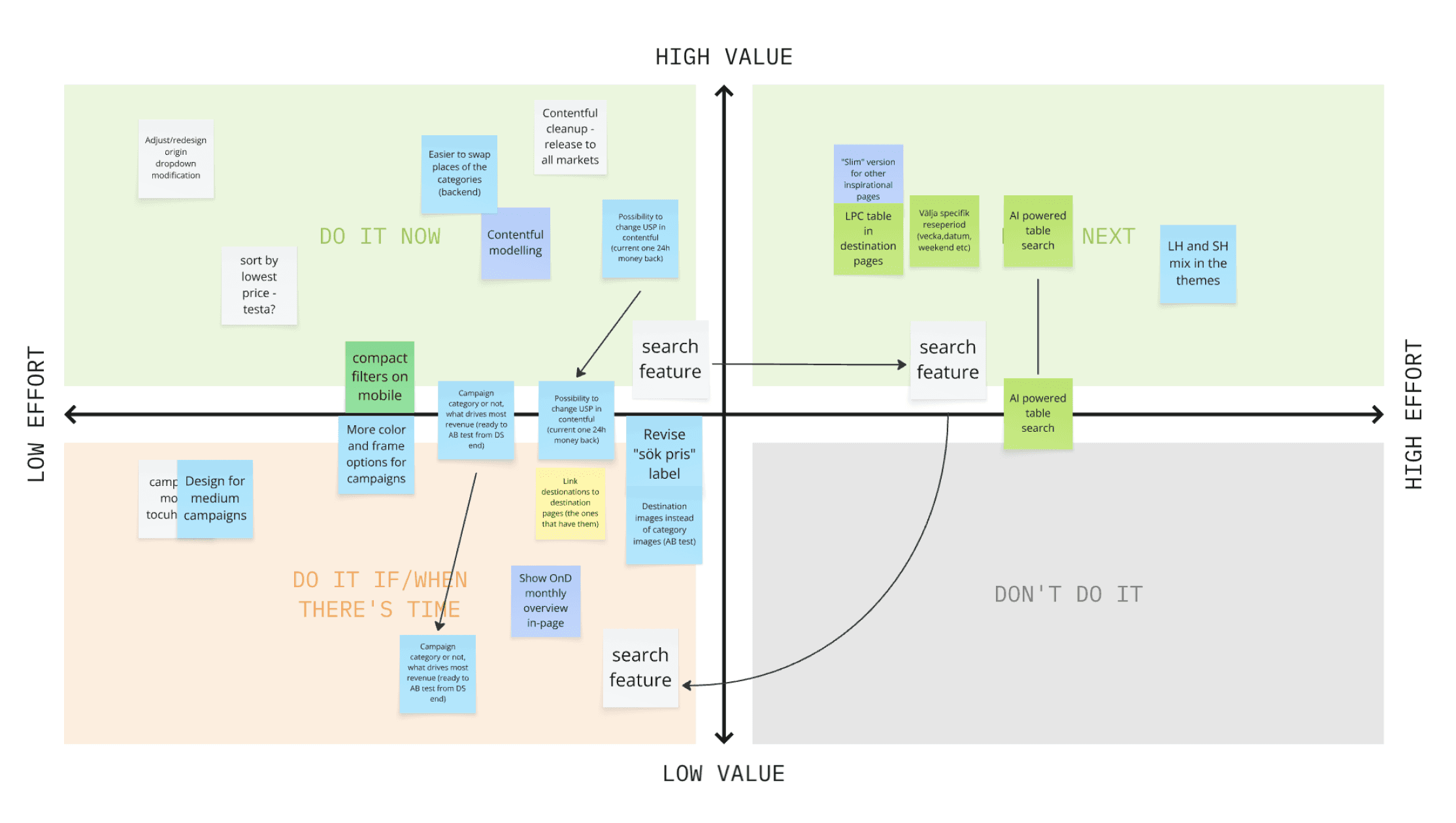
Then we evaluated and prioritized ideas based on expected user impact and technical effort. Finally, we identified experiments to test our top solutions, ensuring that the proposed changes were both user-centered and feasible to implement within the redesign scope.
Concept sketching
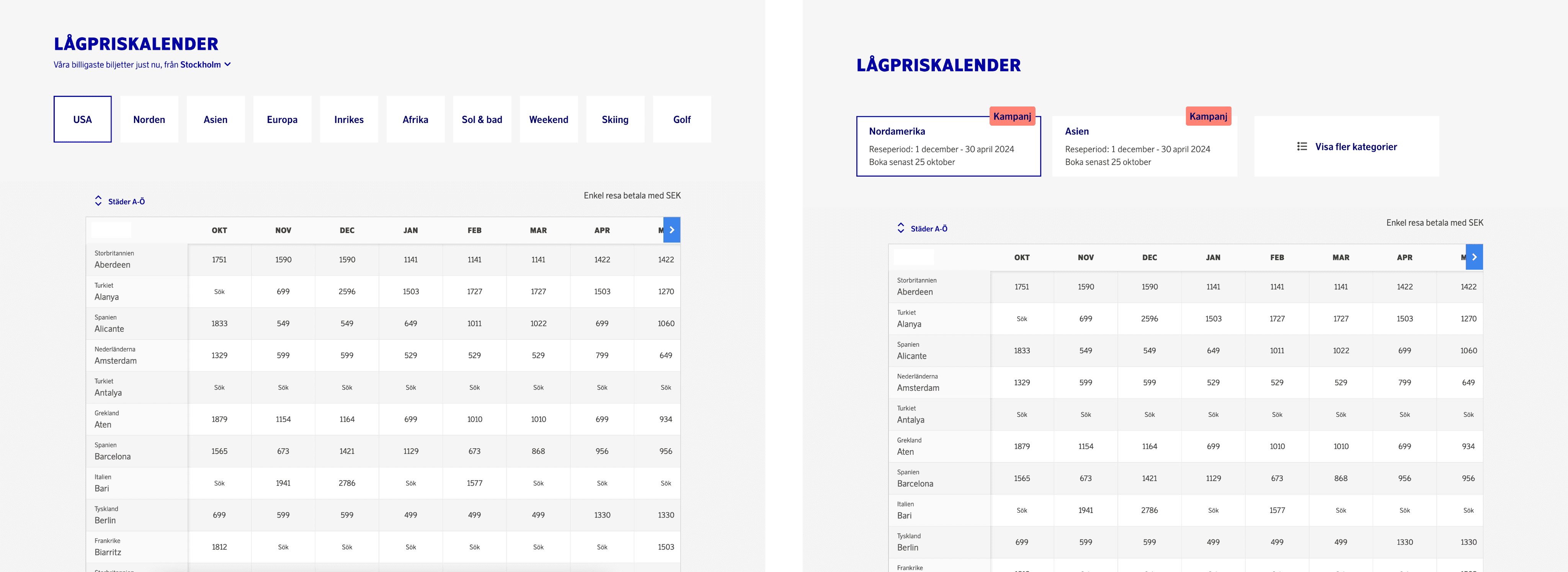
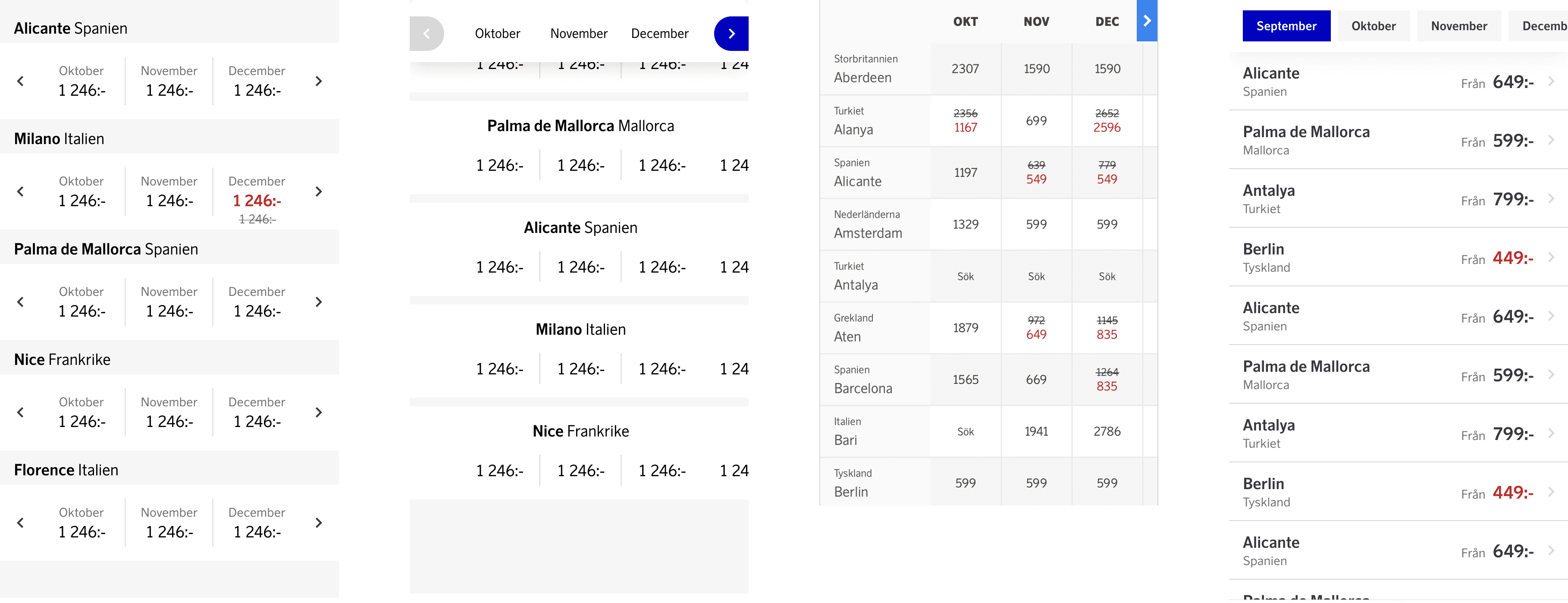
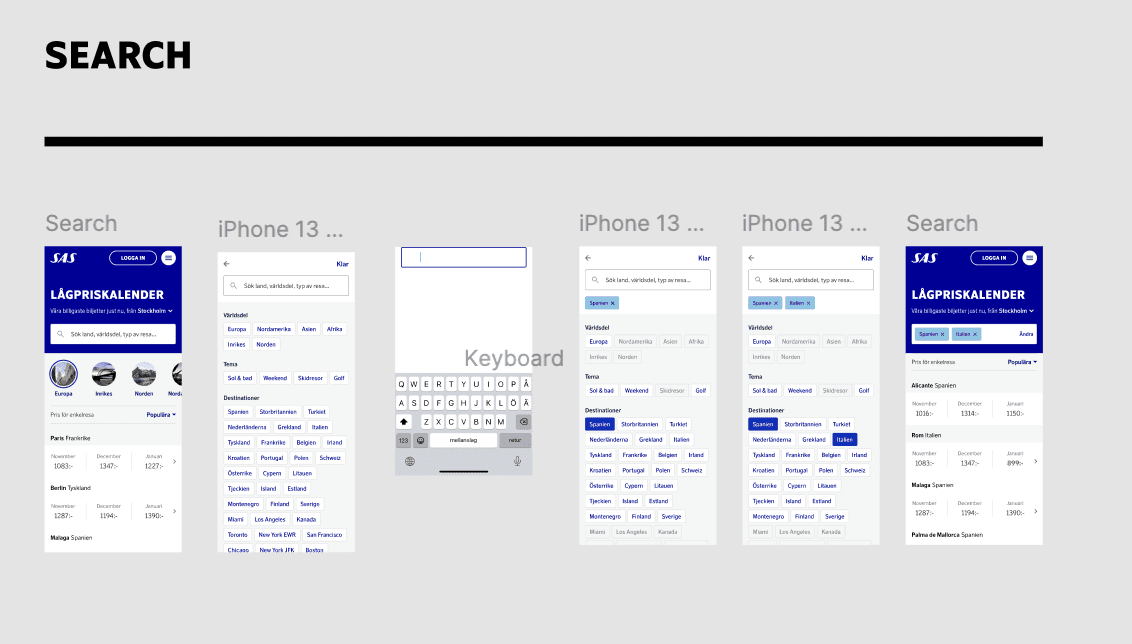
After prioritising solutions from the ideation workshop, I created low-fidelity wireframes to visualise key improvements, such as clearer filters, better price visibility, and a more intuitive mobile experience. Collaborating with the product owner, developers, and UI designer, we iterated on layouts to align with both user needs and technical constraints.
Designing
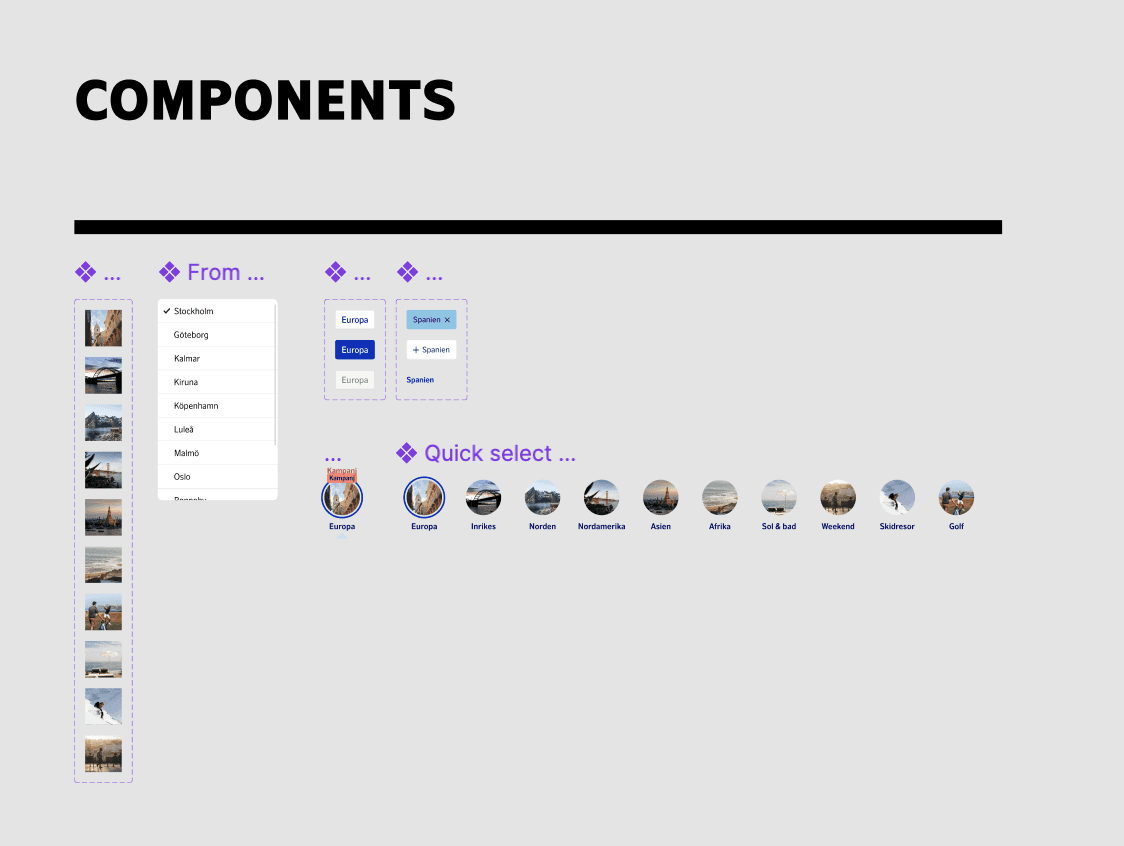
Building on the agreed wireframes, the UI designer and I collaborated closely to design high-fidelity designs focused on key improvements:
Making filters and sorting options more visible
Creating a more inspiring and engaging page
Highlighting the lowest available prices
Create a campaign mode
Increase sense of urgency to increase sales
Improving mobile usability
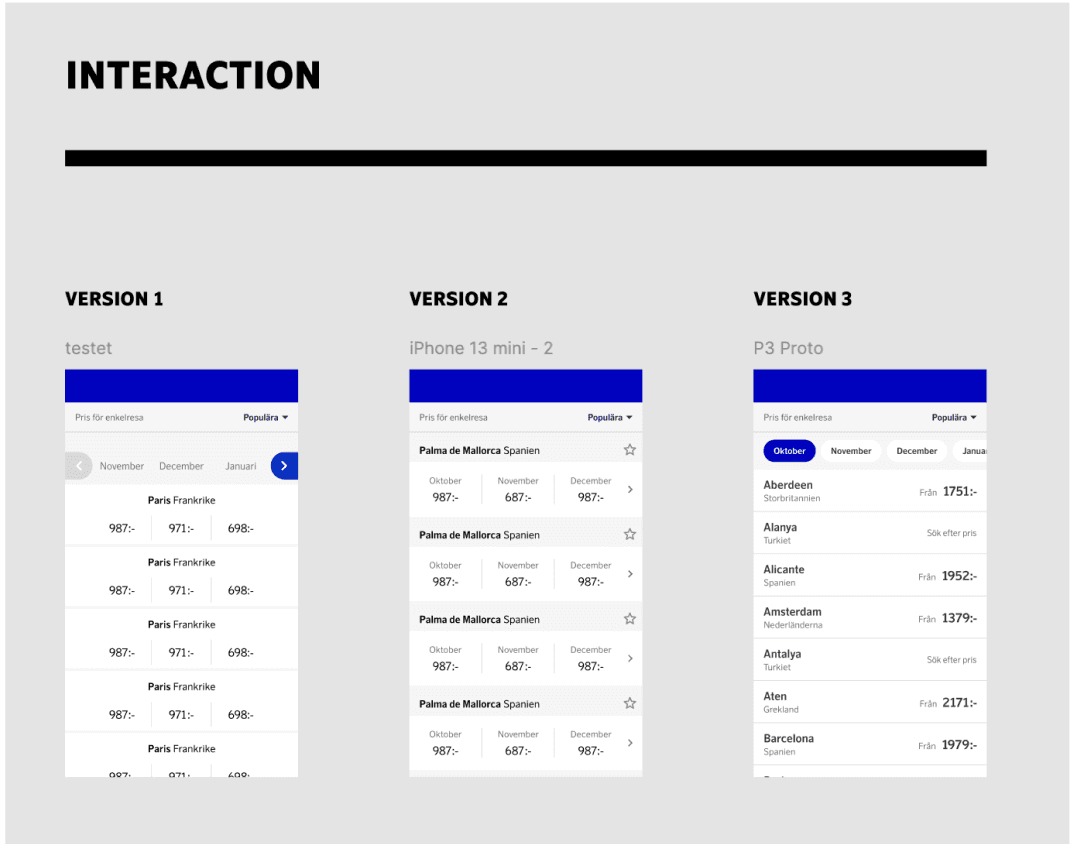
I usability tested three mobile layouts to find the easiest table design for users to navigate.
Testing
We conducted A/B testing to evaluate retention and conversion rates and implemented the designs with positive results.
Therefore, the MVP version, using the best insights, showed marked improvements in both metrics. Initial results were promising despite the short testing period.
Final design
Based on the user feedback we got in the user tests we iterated the designs and flows to launch the product.
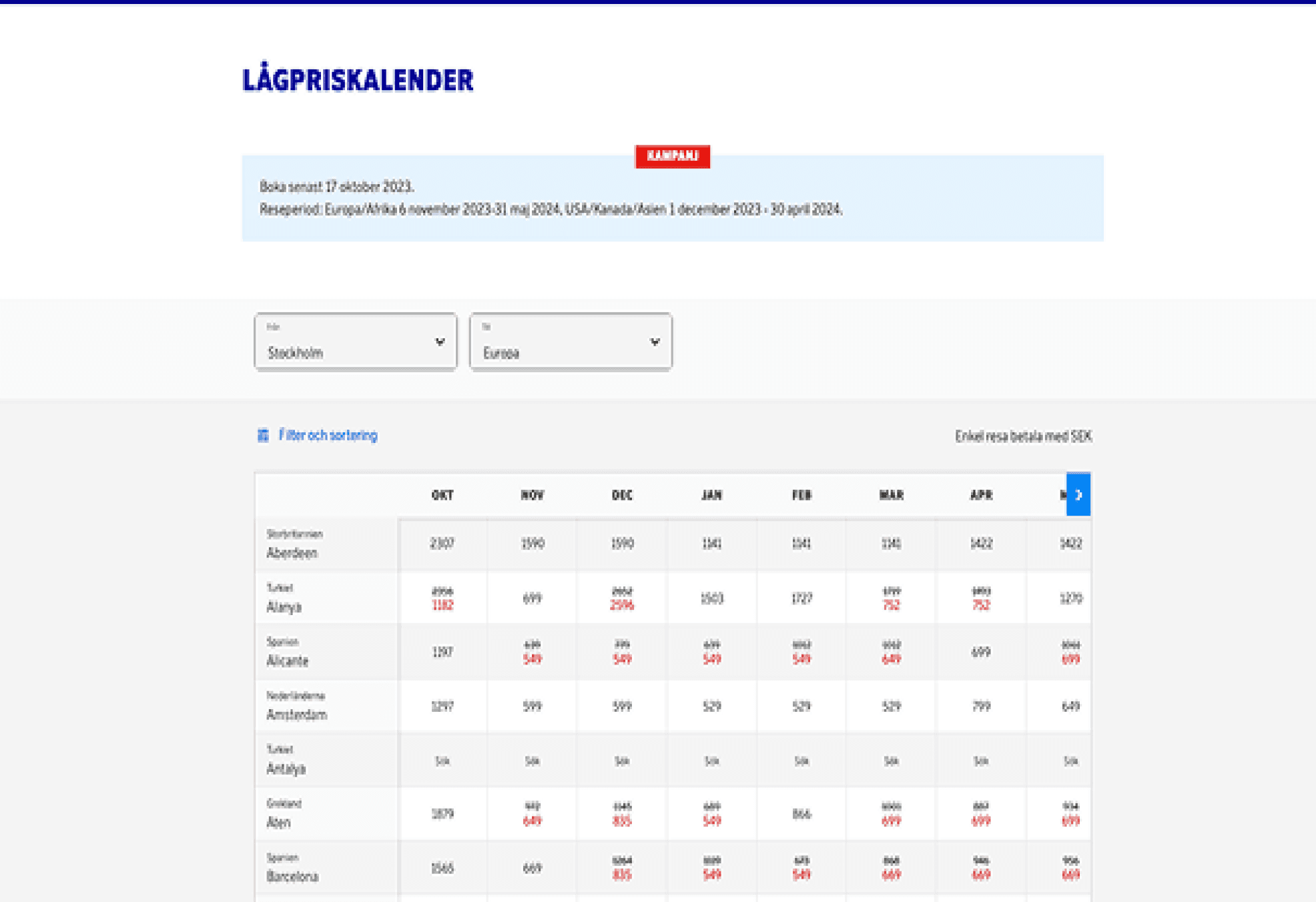
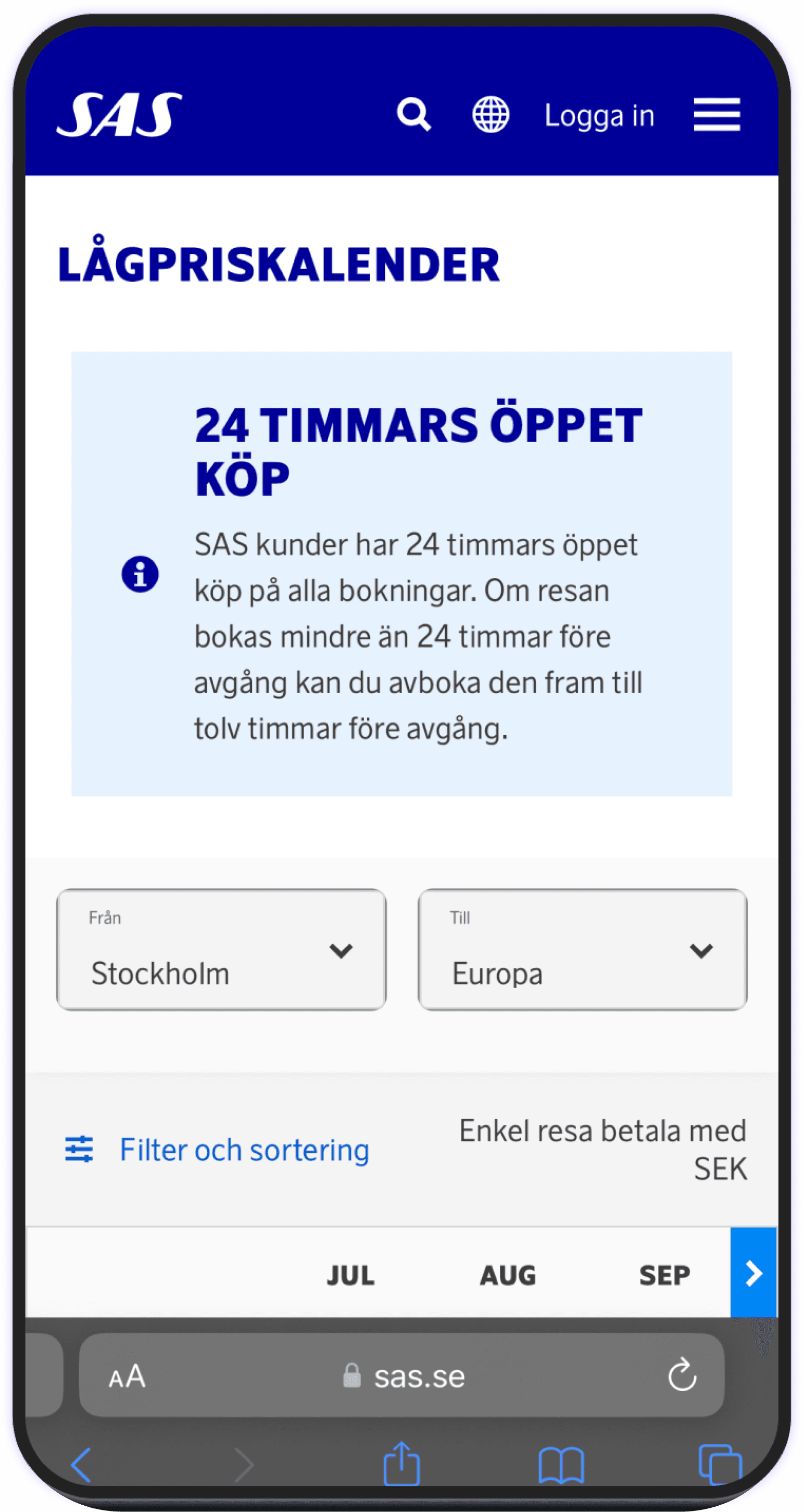
Before
A big banner covering most of the screen, big filters and bad table to navigate on mobile.
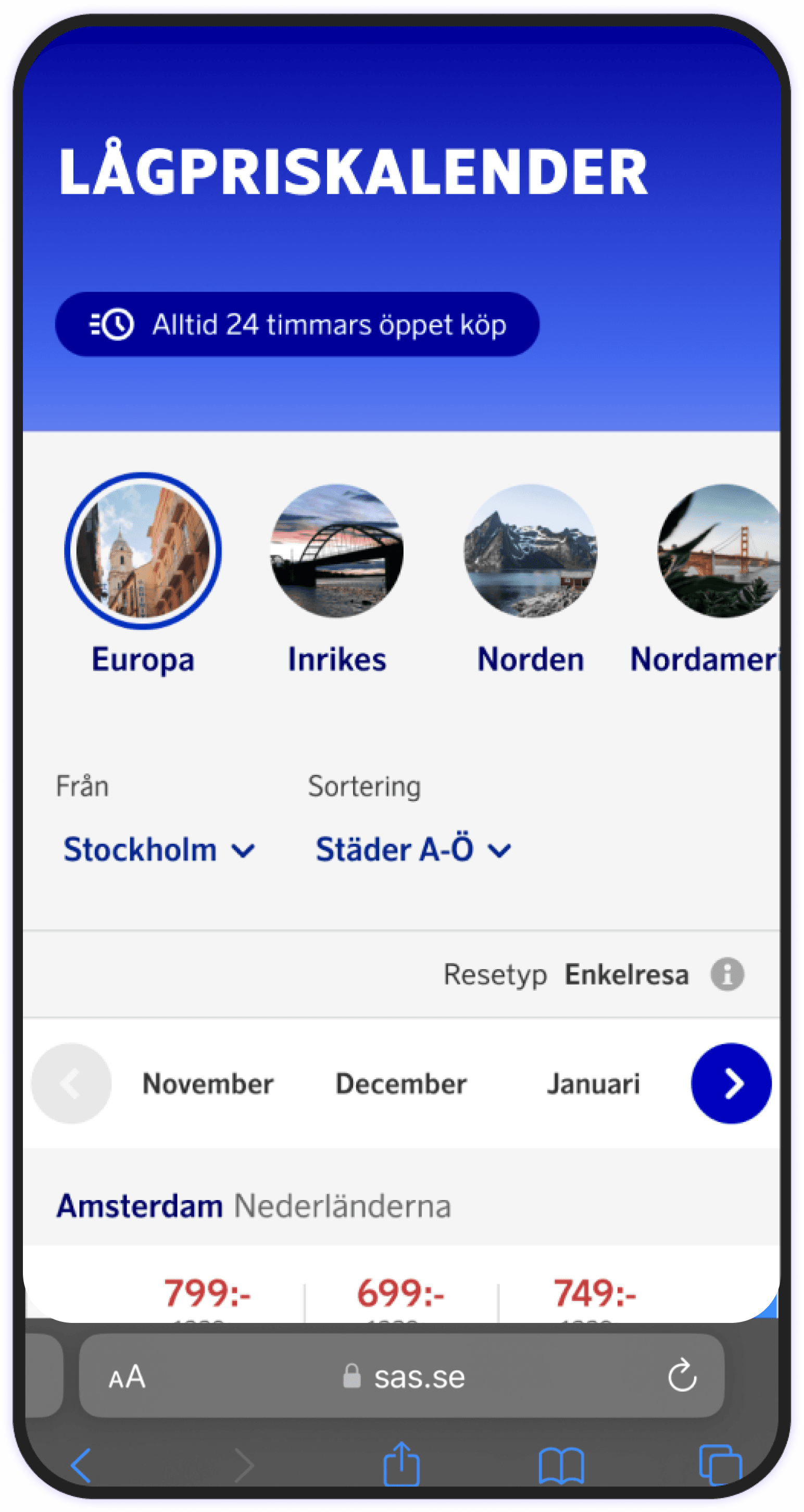
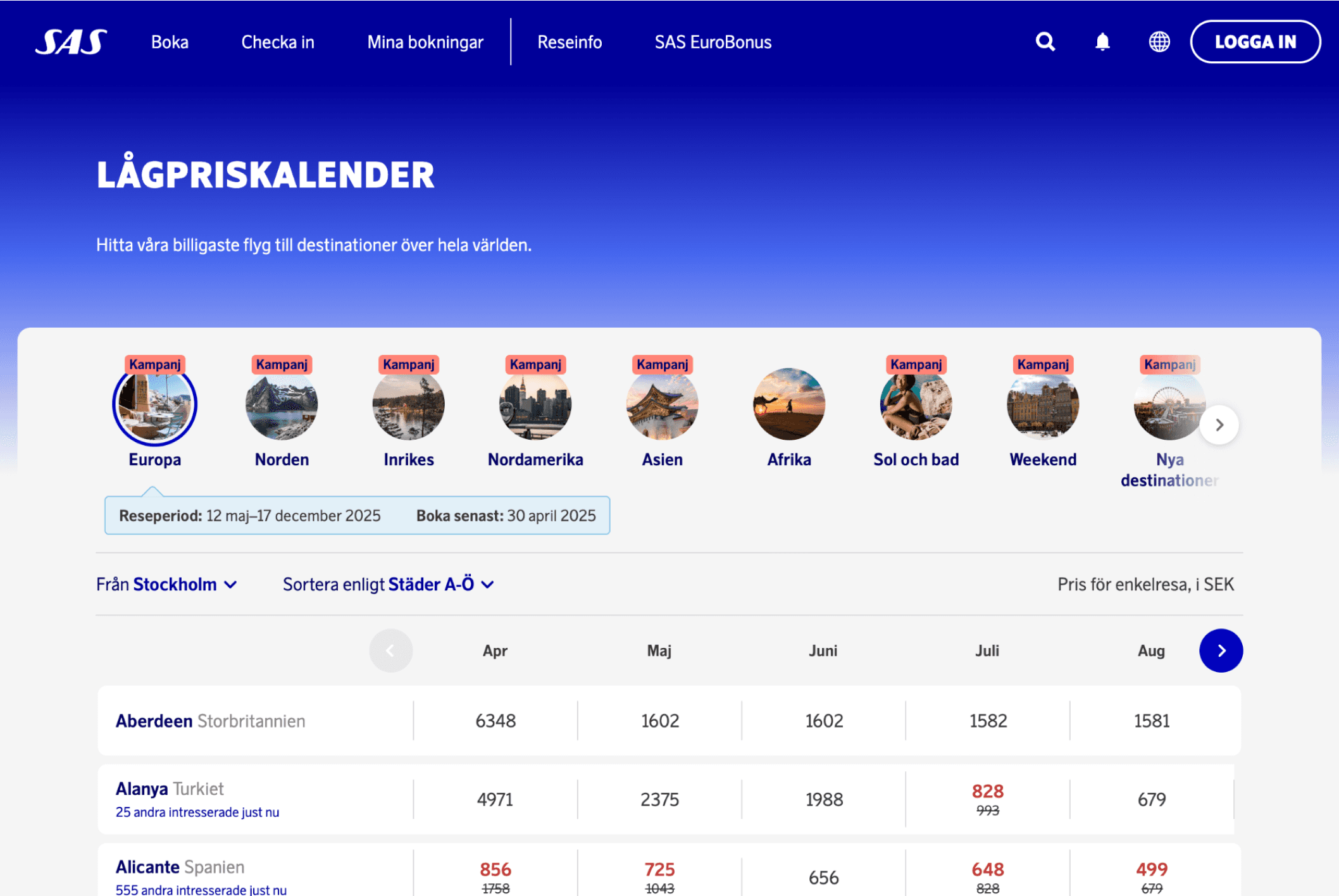
After
More inspiring using images, optimised table for mobile use, more compact filters.